
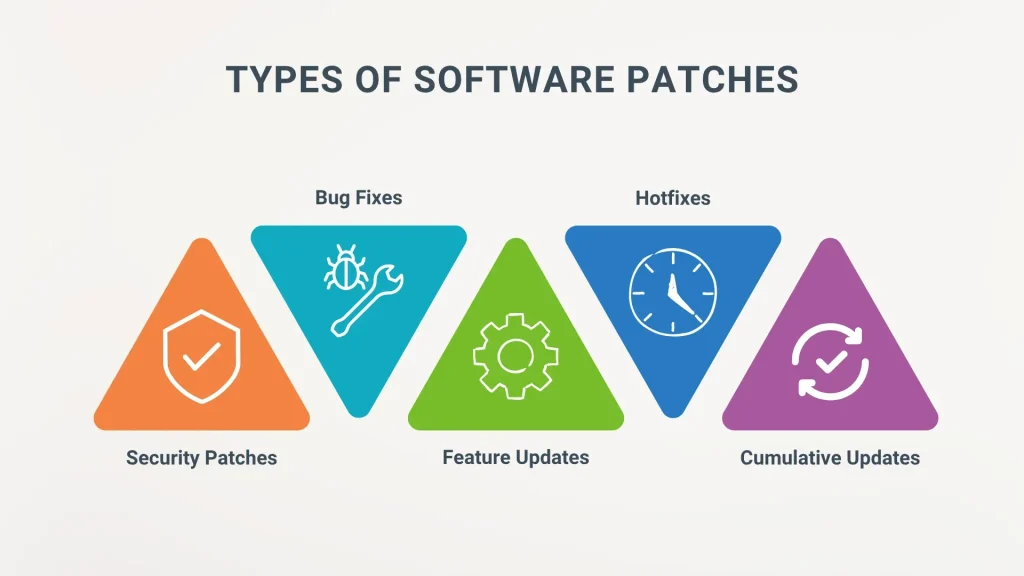
In modern IT, software patches are essential updates that close security gaps, stabilize systems, and unlock useful features we rely on every day. A structured patch management program helps organizations identify, test, and deploy fixes with minimal disruption. To maximize protection and uptime, it’s important to know how to apply patches safely, with testing, rollback plans, and clear change control. Security patches target critical vulnerabilities, while routine software updates improve compatibility and performance across devices and environments. Adopting patch deployment best practices—such as phased rollouts, automation, and thorough verification—can shorten risk windows and support regulatory compliance.
Beyond the term patches, many teams talk about updates, fixes, and vulnerability remediation as parts of a broader software maintenance practice. A mature approach to update management emphasizes inventory, risk-based prioritization, and controlled rollouts to minimize downtime and user impact. Using related concepts such as cadence, change control, monitoring, and rollback planning helps create an IT environment where security and reliability are inseparable.
1) What Are Software Patches and Why Patch Management Matters
Software patches are updates that fix vulnerabilities, improve stability, and add features to the software we rely on daily. They come in various forms—security patches, hotfixes, cumulative updates, and service packs—and their common goal is to make software safer and more reliable. Understanding software patches is the foundation of effective patch management and a crucial step in reducing exposure to known threats.
Patch management is the ongoing, systematic process of identifying, acquiring, testing, deploying, and verifying patches across an IT environment. A mature patch management practice reduces risk, minimizes downtime, and helps maintain compliance. By treating patches as a structured program rather than ad-hoc updates, organizations can align protection with business operations and avoid unnecessary disruptions.
2) Key Components of Patch Management: Inventory, Prioritization, Testing, and Deployment
Inventory and visibility are the bedrock of patch management. Knowing what software and firmware you have, where it runs, and which patches are needed enables informed decision-making and prevents blind spots. Comprehensive asset discovery supports faster remediation and reduces the chance of missed vulnerabilities.
Prioritization, testing, deployment, and verification are the core workflow steps that ensure patches are effective without destabilizing systems. Risk-based prioritization focuses on exposure and exploit likelihood, while testing in staging environments helps catch compatibility issues before production. Verification and monitoring complete the cycle by confirming patch success and documenting results for audits.
3) How to Apply Patches Safely: A Practical Workflow
Preparing and backing up systems is the initial safeguard in patch management. Before applying any patch, take full backups and ensure you can restore to a known good state if something goes wrong. This aligns with the principle of how to apply patches safely, providing a fallback if issues arise.
The workflow continues with controlled testing, careful scheduling, phased deployment, and rigorous verification. By validating patches in a lab or staging environment, planning patch windows with business impact in mind, and implementing rollback procedures, you significantly reduce risk while maintaining service continuity.
4) Security Patches, Timely Action, and the Value of Software Updates
Security patches address vulnerabilities that attackers are quick to exploit. Delays in applying these patches widen the window of opportunity for breaches and can lead to bigger incidents and longer recovery times. A disciplined focus on security patches helps organizations stay ahead of threats and protect sensitive data.
Timely software updates extend protection beyond security fixes to performance improvements and feature enhancements. By integrating patch management into routine operations, organizations support regulatory compliance, audit readiness, and ongoing resilience. Timely action on patches reduces risk while maintaining system stability and interoperability.
5) Patch Deployment Strategies and Automation: Balancing Speed and Safety
To balance speed with safety, many organizations use deployment strategies like phased rollout, canary releases, and blue-green deployments. Each approach reduces risk by gradually exposing patches to subsets of systems and closely monitoring for issues before full-scale deployment. These strategies embody practical patch deployment best practices that help minimize downtime.
Automation and tooling play a critical role in consistent, repeatable patching. Tools that scan, download, deploy, and report status across endpoints enable faster response to vulnerabilities and clearer visibility for change management and audits. When selecting tools, prioritize robust reporting, rollback capabilities, and seamless integration with existing patch management processes.
6) Best Practices, Common Pitfalls, and Continuous Improvement in Patch Management
Best practices for patch management include establishing a policy with defined roles and timelines, prioritizing by risk, testing before production, maintaining separate testing and production environments, having a rollback plan, and continuously monitoring for issues and compliance. Documenting outcomes supports audits and ongoing improvement.
Common pitfalls—such as waiting too long to patch, skipping testing, weak change control, and neglecting non-traditional assets—can undermine security and availability. By anticipating these risks and implementing governance, validation, and oversight, organizations can strengthen their patch program and maintain resilience across evolving IT environments.
Frequently Asked Questions
What are software patches and why are they important in patch management?
Software patches are updates that fix vulnerabilities, close bugs, and improve compatibility. In patch management, timely deployment of software patches reduces exposure to attacks, supports compliance, and minimizes downtime. They include security patches, cumulative updates, and bug fixes, and should be managed via inventory, testing, and controlled rollout.
How to apply patches safely and minimize risk?
Applying patches safely means preparation, testing, and controlled deployment. Follow a patch management workflow: back up affected systems, test in a controlled environment, schedule during low-impact windows, deploy gradually, verify installation, and monitor for issues. This approach protects data and maintains system availability while keeping software up to date.
Why prioritize security patches within software updates?
Security patches address known vulnerabilities attackers can exploit, making them a top priority in software updates. Prioritize critical vulnerabilities, plan emergency patches when needed, and validate changes in a test environment before broader rollout. Timely security patches reduce risk and support compliance.
What is patch management and what are its core components for successful patch deployment?
Patch management is the ongoing process of identifying, acquiring, testing, deploying, and verifying patches across IT assets. Core components include asset inventory, risk-based prioritization, testing and staging, controlled deployment, and ongoing verification and monitoring. Following patch deployment best practices helps minimize downtime and ensure audit readiness.
How should you test patches before production as part of patch management and software updates?
Test patches in a replica or staging environment that mirrors production to identify compatibility, performance, and integration issues. Use the patch management workflow to validate functionality and rollback plans before production deployment. Documentation of test results and decisions supports repeatable, safe software updates.
What common pitfalls should you avoid in patch deployment and software updates?
Common pitfalls include delaying patches, skipping testing, weak change control, and neglecting non-traditional assets. Avoid over-reliance on automation without oversight, ensure rollback plans, and separate testing from production. Following patch deployment best practices and timely security patches helps prevent outages and security gaps.
| Topic | Key Points | Notes |
|---|---|---|
| What are software patches? | Patches are updates to apps, OS, or firmware that address issues; they fix security vulnerabilities, bugs, improve performance, and fix compatibility. | Forms include hotfixes, security patches, cumulative updates, service packs; goal is safer, more reliable software. |
| Why patches matter? | They reduce security risk by fixing known vulnerabilities; patches also improve reliability, reduce downtime, and help maintain compatibility and compliance. | Security-first rationale with broader benefits in reliability, performance, and compliance. |
| Patch management: core components | Inventory/visibility, prioritization by risk, testing/staging, deployment/change control, verification/monitoring. | Structured practices reduce risk and minimize operational disruption. |
| How to apply patches safely: workflow | Eight-step workflow: prepare/back up; test in controlled environment; schedule with business impact in mind; apply patches; verify installation; validate functionality/performance; rollback/recovery; document/review. | Phased, controlled rollout minimizes downtime and surprises. |
| Security patches and timely action | Security patches are highest-priority updates; delays widen attacker window. Prioritize critical vulnerabilities and use emergency patches when needed; have test and rollback plans. | Disciplined, prepared approach enables rapid remediation. |
| Patch deployment strategies and automation | Phased rollout, canaries, blue-green deployments; automation/tools to scan, download, deploy, and report status. | Automation reduces manual errors and speeds response; ensure rollback and change-management integration. |
| Best practices for patch management | Establish a patch policy; prioritize by risk; test before production; separate testing from production; maintain a rollback plan; monitor and verify; document and audit. | A disciplined, continuously improving process. |
| Common pitfalls and how to avoid them | Waiting too long to patch; patching without testing; weak change control; neglecting endpoints; over-reliance on automation without oversight. | Set SLAs, enforce change control, validate patches across asset types. |
| A simple real-world example | Environment with Windows, Linux, on‑prem and cloud; weekly patch cycle; emergency patches; test env; phased rollout; monitor metrics/logs; outcome: reduced exposure and minimal impact. | Demonstrates end-to-end patch workflow in practice. |
Summary
Software patches are a foundational element of a secure, reliable IT environment. By embracing structured patch management—covering inventory, prioritization, testing, safe deployment, and continuous monitoring—organizations can reduce risk, minimize downtime, and stay compliant. Timely and well‑planned application of software patches lowers exposure to threats, improves stability, and enables smoother change control. Adopting best practices, automation, and clear policies helps teams respond quickly to new vulnerabilities while preserving business continuity. Start with a policy, invest in testing and automation, and train staff to apply software patches safely and confidently.