
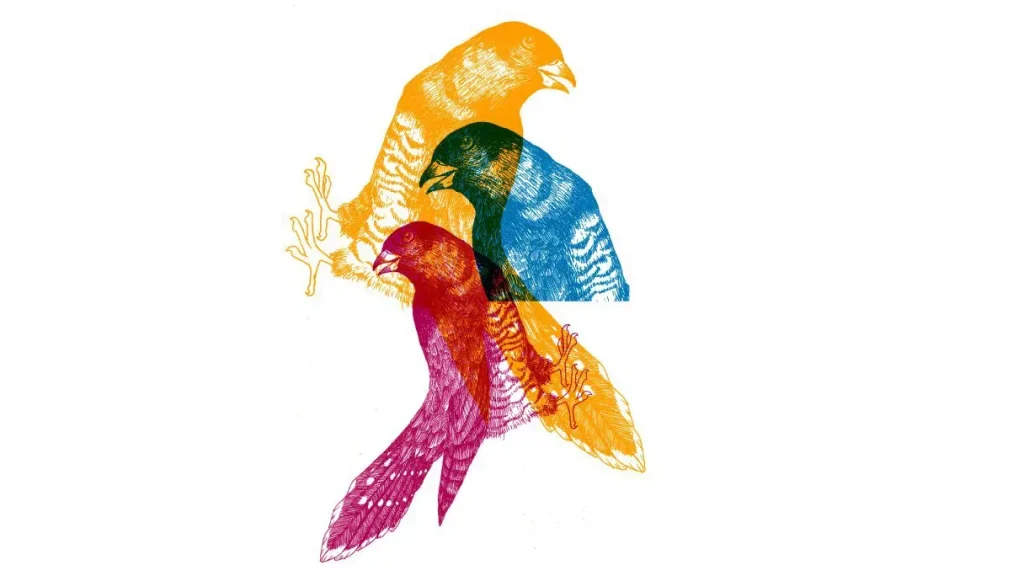
Design for screen printing is more than artwork on a shirt – it’s a disciplined process that blends creativity with the practicalities of production, guiding you from an initial concept through to the clean, inked result you expect on fabric, while keeping production realities in view, from budget to timeline and fabric choice. A crucial distinction is color separation for screen printing, which dictates how many screens you need and how smoothly your design aligns across colors, ultimately shaping production time, ink usage, and the overall impact of the final garment, while also influencing expectations for registration and repeatability across batches. You will learn practical steps to convert a concept into print-ready files, including how to flatten artwork, organize color channels, name layers clearly, and prepare export settings that preserve edge definition and color accuracy across multiple runs, while building in checks for color consistency, substrate variation, and printer feedback. This framework helps both hobbyists and professionals save time, reduce ink waste, and elevate the final product by prioritizing legibility, contrast, and scalable artwork that remains faithful from mockups to mass production, and it includes practical tips for communicating with printers, specifying underbases, and planning color stops. By integrating these concepts early – planning palettes, choosing vector-based shapes, and labeling layers clearly – you create a foundation that supports repeatable results, shorter turnarounds, and predictable outcomes across diverse garments and printing environments, which translates into faster proofs, fewer revisions, and stronger client confidence, this combined knowledge helps brands scale prints while maintaining consistency across production runs globally.
In alternative terms, this design discipline can be thought of as textile decoration that relies on clean separations, precise layering, and production-friendly files that printers can reproduce reliably on different fabrics. Shifting the vocabulary away from screens, you can describe it as a multi-layered color plan where each color becomes its own stencil, with clear boundaries and predictable ink behavior across substrates. From a broader perspective, the workflow emphasizes vector-based artwork, scalable graphics, and print-ready documentation – concepts that align with color separation tactics, screen-safe typography, and robust production specifications. Using this LSI-informed approach, teams communicate more effectively with printers and clients, framing expectations around bold, accurate graphics that translate well from digital proofs to wearable garments.
Design for screen printing: Foundations for Clean Color Separation
Design for screen printing is a disciplined process that blends art with production realities. When you design with screen printing in mind, you optimize color separation for screen printing, ensure bold edges, and craft layouts that stay legible across garments. Keeping ink layers distinct and planning a restrained color palette reduces misregistration and ink bleed, setting the stage for reproducible results across runs.
Begin by mapping your concept to color layers, naming each channel clearly, and deciding the printing order. Favor vector shapes over complex textures to preserve crisp lines, and plan halftones or shading only where the anchor is strong. This approach aligns with print workflows and supports a smooth export to print-ready artwork for screen printing.
Color Separation for Screen Printing: Planning Your Layers and Colors
Color separation for screen printing is the bridge between digital artwork and fabric results. Each color needs its own screen, so plan for an underbase on dark fabrics, crisp edge definitions, and separations that stay bold after multiple passes.
Organize your file by color channels: C1 Red, C2 Navy, and so on, and export as PDF, AI, or EPS with each color on its own layer. This workflow supports clean color separation for screen printing and makes it easy for printers to stage the production.
Screen-Friendly Artwork: Designing for Reproducibility
Screen-friendly artwork focuses on clean lines, bold shapes, and high contrast that reproduce faithfully on a screen.
Practical design choices—avoid hairlines, minimize tiny details, and convert text to outlines—help ensure legibility and consistent results across sizes. Keeping alignment simple reduces surprises during production.
Tips for Screen Printing Design: From Concept to Production
Tips for screen printing design start with a defined target garment color and a fixed ink palette. Build your design with separation in mind, mock up proofs, and check for edge clarity before finalizing.
Run test prints to verify registration and color balance; adjust separations to minimize misregistration and ink bleed. These tests save time and reduce waste in the actual print run.
Print-Ready Artwork for Screen Printing: Preparation and Delivery
Print-ready artwork for screen printing means delivery-ready files: organized layers, outlines for all text, and a production spec sheet that notes the number of colors and any underbase requirements.
Export in the printer’s preferred color mode (CMYK or Pantone) at appropriate resolution, and include a clean, single-page production file with clear labeling to avoid miscommunication.
Vector Artwork for Screen Printing: Scalability and Clean Edges
Vector artwork for screen printing offers scalable lines and solid color blocks that stay crisp at any garment size. Vectors simplify color separation and ensure clean edges that printers can reproduce consistently.
When shading is needed, start with vector shapes and add controlled halftones or 1- or 2-bit rasters only where necessary. This preserves edge definition and reduces color bleed during the press run.
Frequently Asked Questions
In Design for screen printing, what is color separation for screen printing and why is it essential?
Color separation for screen printing is the process of isolating each ink color onto its own layer or channel so you can create individual screens. In Design for screen printing, plan a restrained palette, arrange elements for cross-layer alignment, and label channels (for example, C1 Red, C2 Navy). Also anticipate underbase needs on dark fabrics to preserve color accuracy.
How can you ensure screen-friendly artwork within Design for screen printing?
Screen-friendly artwork is designed to reproduce cleanly with bold shapes, strong contrast, and solid fills. In Design for screen printing, avoid hairlines, small details, and soft edges; use outlines for text and keep alignment simple to prevent shifting during the screen-making process.
What are practical tips for screen printing design to improve color separation for screen printing?
Tips for screen printing design include planning a solid color palette, using vector shapes or clearly defined raster blocks per color, labeling each color as its own layer, planning for halftones with fixed angles, and considering underbase needs; this helps ensure clean separation and stable registration during production.
How should you prepare print-ready artwork for screen printing, and what deliverables do printers expect?
Print-ready artwork for screen printing requires locking exact colors, flattening while keeping layers organized, converting text to outlines, including a production spec sheet, and exporting the file in a printer-friendly format (PDF, AI, or EPS) with separate channels for each color. Ensure correct color mode and resolution.
When should you use vector artwork for screen printing, and what benefits does it offer in Design for screen printing?
Vector artwork for screen printing scales without quality loss, making logos and bold graphics crisp across sizes. In Design for screen printing, start with vector shapes and add shading only where needed, ensuring clean color separations and easier alignment across runs.
How can you verify color separation for screen printing to ensure consistent results across runs in a Design for screen printing workflow?
Testing color separation for screen printing involves proofing digitally and doing a real-life test print on representative garments. Check registration, ink coverage, and color matches across fabrics, adjust halftone angles and layer order as needed, and confirm final separations before full production.
| Aspect | Key Points |
|---|---|
| Design Philosophy | Design for screen printing blends art with printing practicality, enabling clean color separation, crisp lines, and repeatable results across runs. |
| Core Technique: Color Separation | Each color gets its own stencil; plan a restrained palette; ensure layers align with clean boundaries and solid fills. |
| Screen-Friendly Artwork | Prefer solid fills; avoid hairlines and small details; minimize transparency; outline text; keep layouts simple for reproducibility. |
| Print-Ready Artwork Process | Lock color palette early; flatten artwork; convert text to outlines; include a production spec sheet; export at correct color mode and resolution. |
| Design for Production: Plan & Halftones | Consider garment color, ink colors, and printing method; use a limited color palette and halftones for shading to reduce costs and complexity. |
| Deliverables & File Formats | Export multi-layered PDFs/AI/EPS with each color on its own channel to ease printer setup. |
| Common Pitfalls | Too many colors; fine details vanish; poor registration on dark fabrics; inconsistent gradients; with fixes typically involving palette reduction, line refinement, and controlled halftones. |
Summary
Design for screen printing is a practical discipline that rewards thoughtful planning, clean artwork, and clear production instructions. By focusing on color separation, screen-friendly artwork, and print-ready design practices, designers can achieve more consistent results, faster turnaround, and higher-quality apparel. This approach reduces the need for reprints, lowers ink waste, and helps preserve the integrity of the original concept across multiple runs. Whether you’re creating a simple two-color design or a complex multi-color composition, the core goal remains: designs that print boldly on fabric and stay faithful to the concept from screen to shirt. Embracing these principles prepares you for smoother production workflows and better collaboration with printers in Design for screen printing contexts.